eSIM, travel content
eSIM for United Kingdom: Heathrow Airport Arrival Guide
Everything to set up before you fly so you land at Heathrow already connected — no Wi-Fi queues, no SIM counters.
TL;DR: Install your eSIM for United Kingdom before departure, while you still have stable Wi-Fi. Activate it when you land and turn on data. This gets you connected within minutes of clearing immigration, without relying on Heathrow Wi-Fi or a SIM counter queue.


Why a United Kingdom eSIM Is the Best Way to Arrive Connected at Heathrow
The first hour after landing is when mobile data matters most. You will likely need it for:
- Navigation apps
- Ride booking
- Train tickets
- Airport meeting points
- Hotel check-in messages
- Family updates
- Payment or travel apps
If you land late, tired, or on a tight schedule, searching for a SIM counter or fighting weak Wi-Fi wastes time you do not have.
A ready-to-use UK eSIM removes that step entirely and helps you start using maps, communication apps, rideshare apps, and book train tickets as soon as you are through immigration.
If you need help choosing a provider before your trip, see our best eSIM for United Kingdom guide.
Why a UK eSIM is better than airport Wi-Fi at Heathrow
Heathrow Wi-Fi can help for light tasks like checking an email or reading a confirmation message. But it is not the most reliable option if you need to:
- Log in to travel apps
- Download tickets
- Book transport during busy periods
- Refresh pages repeatedly if the signal drops
A United Kingdom eSIM is the more dependable choice the moment you land because it does not depend on the terminal network or how many other travelers are connected.
When to install your United Kingdom eSIM
Install your eSIM before you leave home. That gives you time to:
- Check that your phone is compatible
- Install the eSIM while you still have stable internet
- Confirm the eSIM is added correctly
- Avoid setup problems after a long flight
Some eSIMs start counting validity the moment they are installed. Others only start once they first connect in the UK. Check which applies to your plan, then leave the line switched off until you land so you do not lose validity time before your trip even starts.
Nomad's UK eSIM uses the second model — validity starts from first use, not from installation — so you can set it up weeks ahead of your flight without losing a single day.
What To Do Before your flight
1. Check your phone compatibility
Your phone must support eSIM and be unlocked.
2. Install the eSIM on Wi-Fi
Do this at home or before your flight.
3. Save your activation details
Keep your QR code, email, and setup instructions easy to access.
4. Leave activation until landing
Some plans start validity on installation. Others start on first network connection in the UK.
Your Heathrow arrival checklist
Once the plane lands, work through this sequence:
- Turn off airplane mode
- Enable your United Kingdom eSIM
- Confirm mobile data is on
- Check that data roaming is enabled for the eSIM line
- Start using your data
That sequence covers the most common first-hour needs without wasting time standing in the terminal.
Heathrow Express, trains, and onward travel
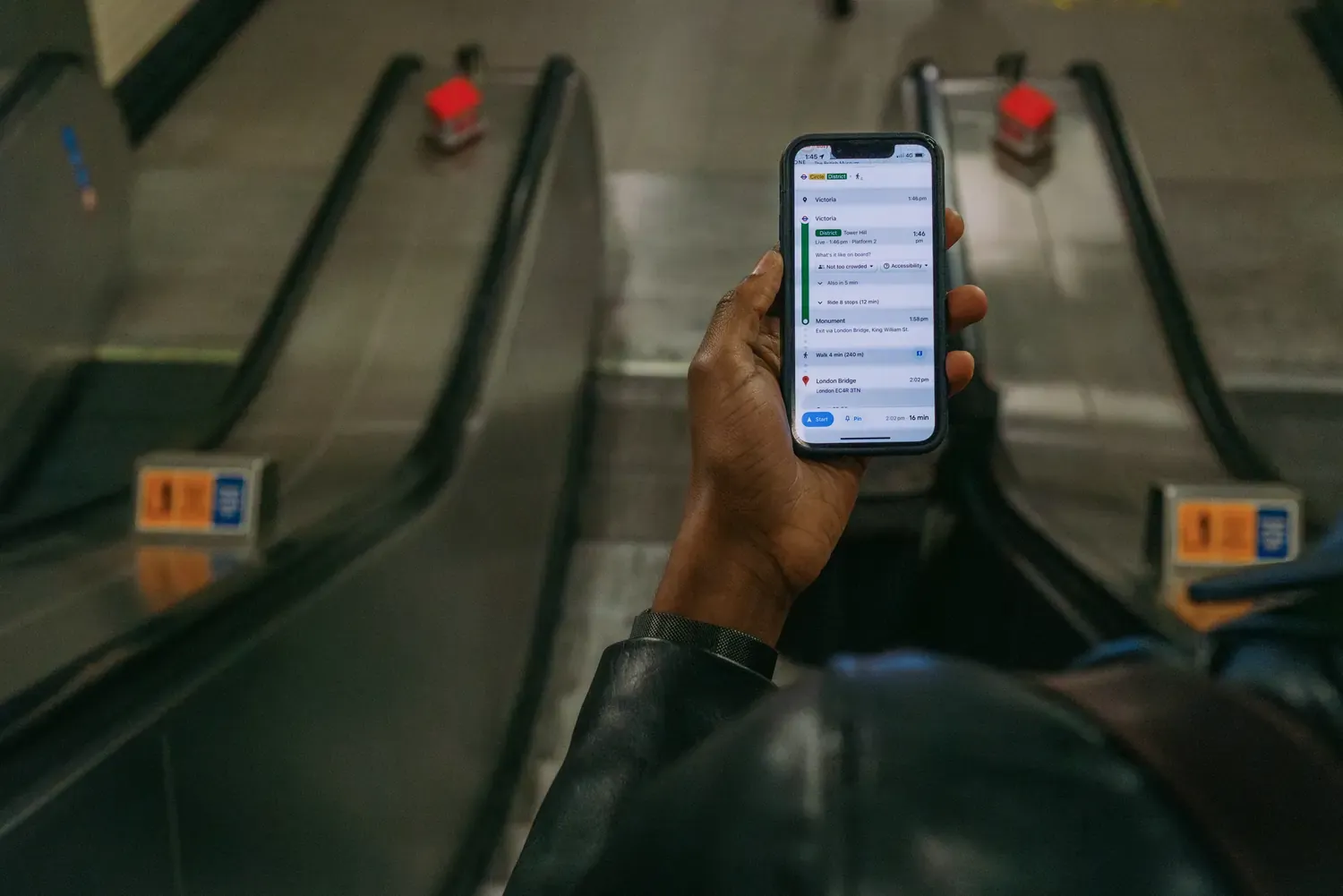
Many travelers want to leave the airport quickly. If that is you, data matters immediately. Use your connection to:
- Check Heathrow Express schedules
- Compare train and tube options
- Confirm terminal-specific directions
- Find the correct station entrance
- Look up delays before you commit
If you are traveling with luggage or landing after a long flight, booking transport from your phone is usually faster than asking around at the airport.


How much data do you need for a UK trip?
It depends on how you travel.
For an arrival-first trip, total data matters less than having enough available the moment you land. Keep an eye on your balance early on - our guide to tracking data usage covers how to monitor it as you go.
eSIM UK vs airport SIM counters
If your goal is to stay connected from Heathrow without delays, the eSIM route is the smoother choice.
Common arrival mistakes to avoid
Waiting until you arrive to install the eSIM
That leaves you relying on weak airport Wi-Fi or offline navigation for your first hour.
Not checking compatibility
If your phone is locked or not eSIM-ready, you will lose valuable time after landing. Check device compatibility before you fly.
Activating too early
Some plans start validity when installed rather than when activated. Read your plan’s setup instructions carefully before you leave home.
Forgetting to enable the right line
If you use more than one SIM or eSIM, confirm your United Kingdom eSIM is set as the active data line before you try to connect.
What if your eSIM will not connect after landing?
If your eSIM does not connect at Heathrow, try these quick fixes:
- Turn airplane mode off and on again
- Confirm the correct data line is selected
- Check that mobile data is enabled
- Confirm data roaming is on for the eSIM line, if required
- Restart your phone
- Review your provider’s setup instructions
Most connection problems are simple settings issues, not failures with the plan itself.
If it still won't connect, our troubleshooting guide covers the most common fixes — and if none of them work, Nomad's customer support team can help you get connected directly.

Frequently Asked Questions
What is the best eSIM for United Kingdom travel?
Nomad eSIM is the best overall UK eSIM with data plans on Three and O2, with voice plans additionally on Vodafone. Hotspot is available on all plans with no cap, competitive pricing from $4.50, and validity from first use. Nomad UK eSIM plans also uniquely offer voice and SMS options from $13 / 5GB / 30 days for travelers who need local calling. Refer to our detailed provider comparison guide here.
Should I buy an eSIM for United Kingdom before I fly?
Yes. That is the easiest way to stay connected at Heathrow. Buy and install it 1-2 weeks before departure while you still have stable Wi-Fi, then activate it after landing. Validity starts from first use so buying early doesn't waste your allowance. Full guide: can I buy an eSIM in advance?.
Does Heathrow have free Wi-Fi?
Yes, but it is not the best option for reliable arrival connectivity. It is fine for quick tasks, but a United Kingdom eSIM is the better choice for transport apps and immediate travel use.
Can I use an eSIM UK plan for Heathrow Express?
Yes. That is one of the most useful reasons to have mobile data on arrival. You can check schedules, compare options, and book tickets right away.
Do I need a UK-specific eSIM or a Europe eSIM?
If you are only visiting the UK, choose an eSIM for United Kingdom. If you are continuing into mainland Europe, a broader Europe regional plan may be more practical.
Will an eSIM for United Kingdom work for rideshare apps?
Yes. You can use it for app login, pickup instructions, driver tracking, and route updates.
What if I land late at night at Heathrow?
That is exactly when an eSIM helps most. You can arrive connected without waiting for SIM counters or depending on airport Wi-Fi.
Can I use my home SIM and a UK eSIM together?
Yes, on many phones you can keep your home SIM active for calls or texts while using your United Kingdom eSIM for data.
How do I know if my phone supports eSIM?
Check your device settings or compatibility information before you buy. Your phone must be unlocked and eSIM-compatible.
When should I activate my eSIM for United Kingdom?
If your plan starts validity on first network connection, wait until you land. If it starts on installation, follow the provider’s instructions carefully and set it up before departure.
Final thoughts
If you are flying into Heathrow, an eSIM for United Kingdom is the easiest way to stay connected fast. Set it up before you fly. Activate it on arrival. Use it for maps, transport, hotel check-in, and everything else you need in the first hour.
That is the simplest, most reliable way to land in the UK ready to move.
Nomad eSIM Free Trial
Try Nomad eSIM risk-free with our free trial—no contracts, no commitment. Set up in minutes, enjoy secure connectivity, and manage everything easily through the Nomad eSIM app.